Follow a Bible reading plan
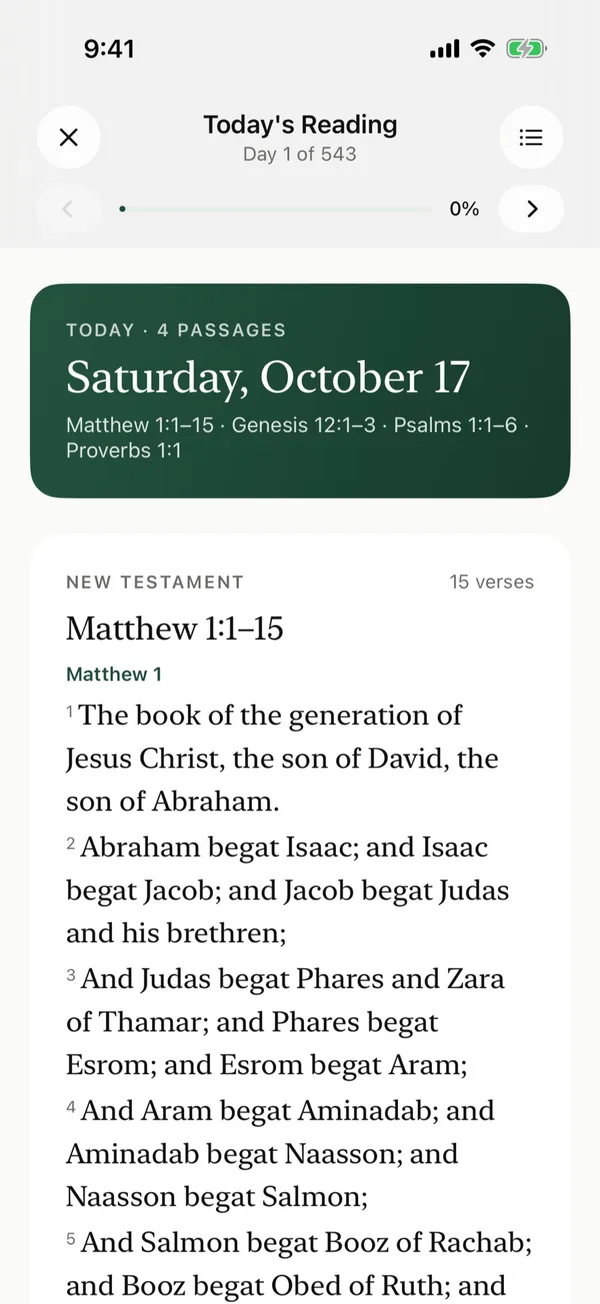
Set up your own daily reading plan and read each day's passage in the app, alongside your prayers.
Steps
- On Home, tap Daily Bible Reading.
- Choose how many verses a day you want from each track, New Testament, Old Testament, Psalms, and Proverbs.
- The app shows your total verses a day and about how long the plan will take. Tap Start plan.
- Each day, open Today's Reading and read the passages. Then tap the button at the bottom, such as Mark day 3 complete.
- After you finish a day, the app shows what's up next.
Good to know
- Tap Commentary under a passage for a short explanation of it.
Posts about this
- A Bible reading plan for beginners you can keepHow to choose a Bible reading plan for beginners, where to start, how much to read each day, and how to keep going when you fall behind.
- How to read the Bible for beginnersHow to read the Bible for beginners, where to start, simple questions to ask of every passage, and how to turn what you read into prayer.
- A simple morning prayer routine you can keepA simple morning prayer routine in five steps, with Scripture to read, a short prayer to start the day, and tips for busy mornings.