
Know exactly who and what to pray for.
The Pray App is a free iPhone app that helps Christians keep track of who and what to pray for. You paste a prayer list, the app turns it into prayer cards sorted into categories, and you pray through them one at a time.

How it works
From the list in your head to praying for each person by name, in a few minutes a day.
Step 1
Paste your prayer list.
Paste the list you already keep, from your notes, a text, or a church prayer list. Put one request on each line, up to 20 at a time.
See how it works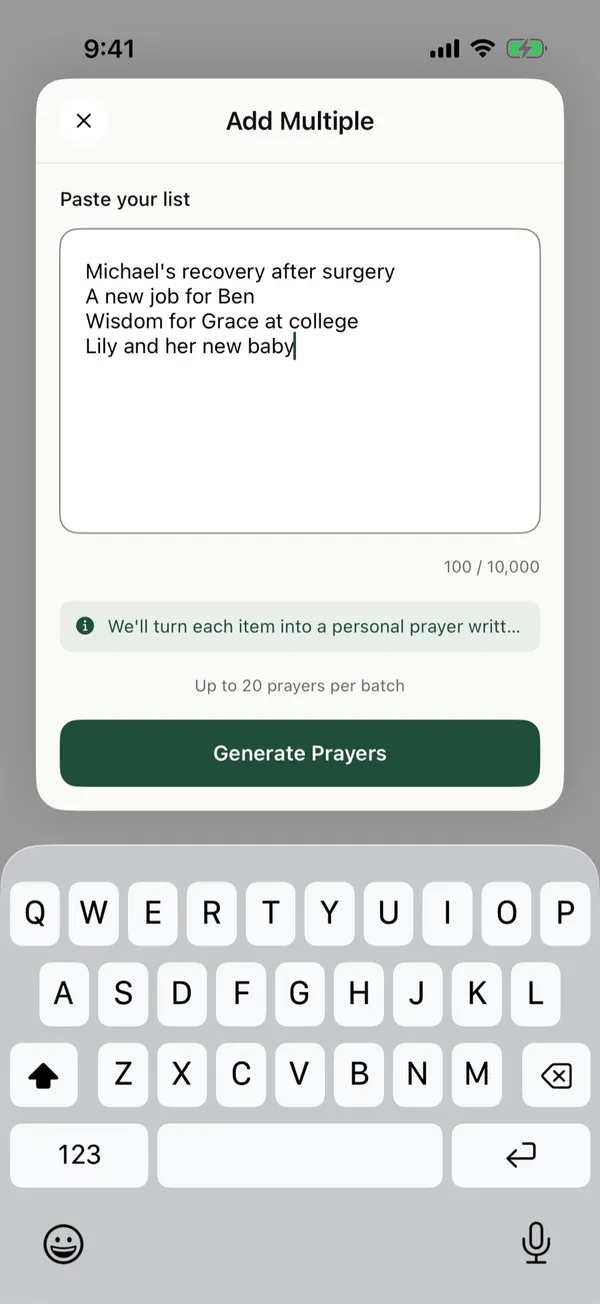
Step 2
We'll organize it into prayer cards.
Each request becomes its own prayer card with a short prayer you can edit, a category like Health or Work, and the people it mentions. Choose how often each one comes up, then tap Create.
See how it works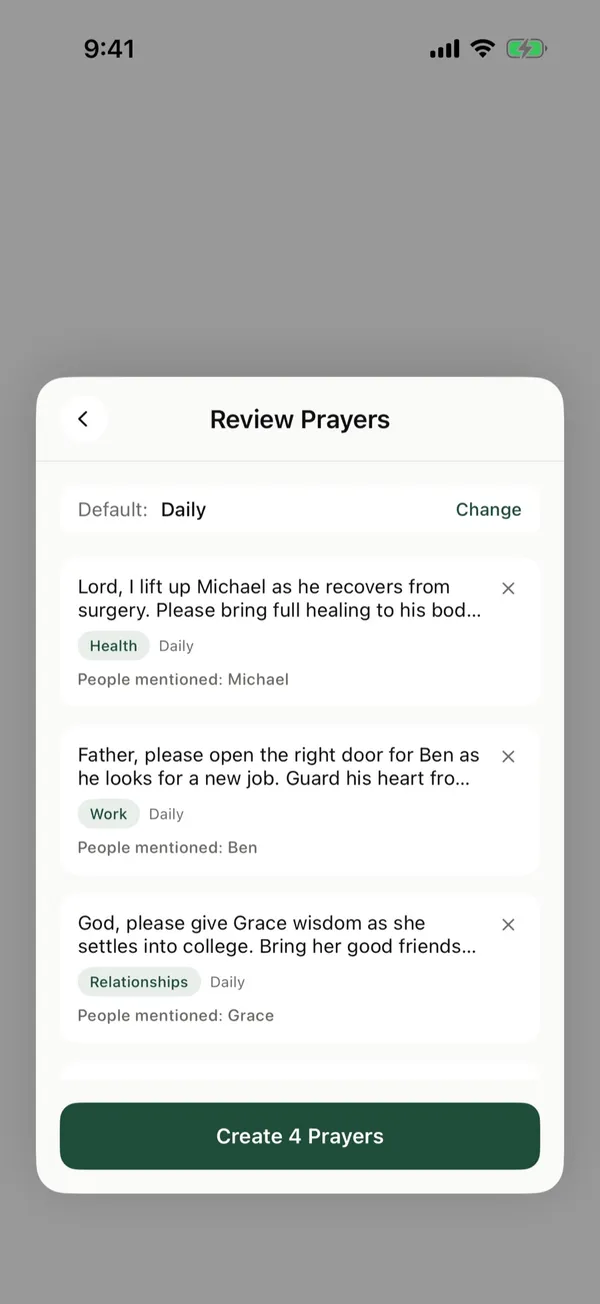
Step 3
Open the app and see who to pray for.
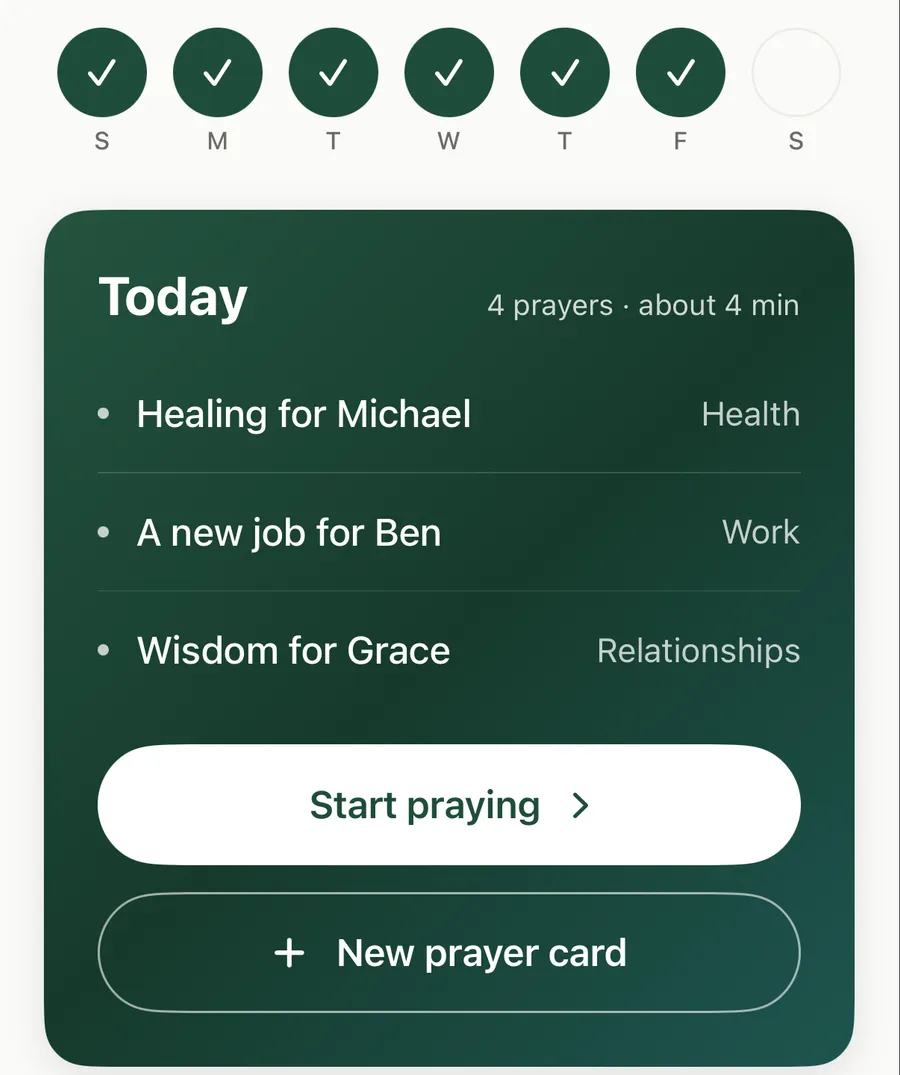
Today lists the prayer cards that are due, with about how long they'll take. The dots across the top show the days you've prayed this week.
See how it works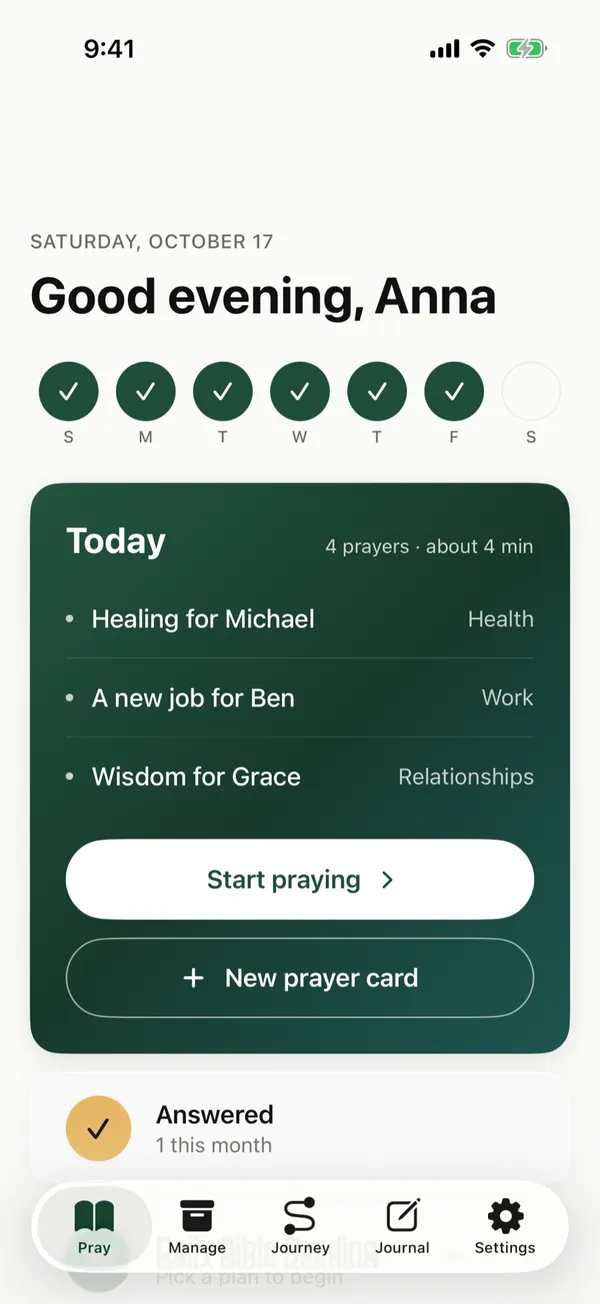
Step 4
Pray through your cards, one at a time.
Each card shows the prayer, who you're praying for, and a Bible verse. Pray, then swipe to the next one, skip it, or mark it answered.
See how it works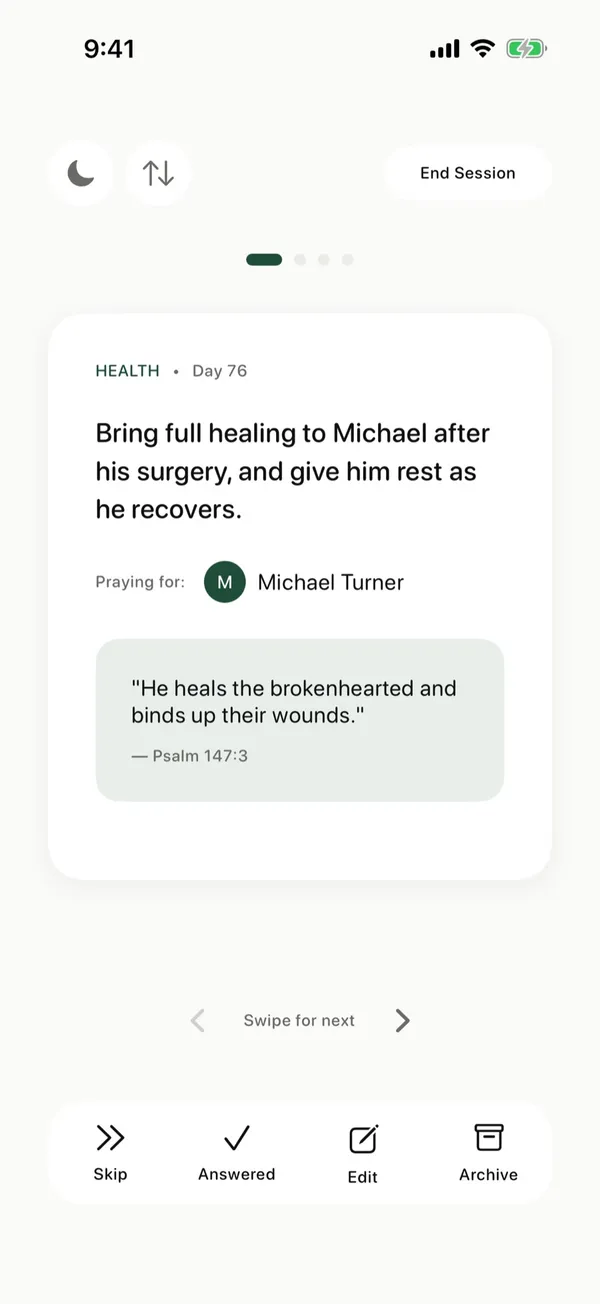
Step 5
Write down what's on your heart.
Flip a card over to write in your journal while you pray. It saves as you type, and you can find it later in Journal.
See how it works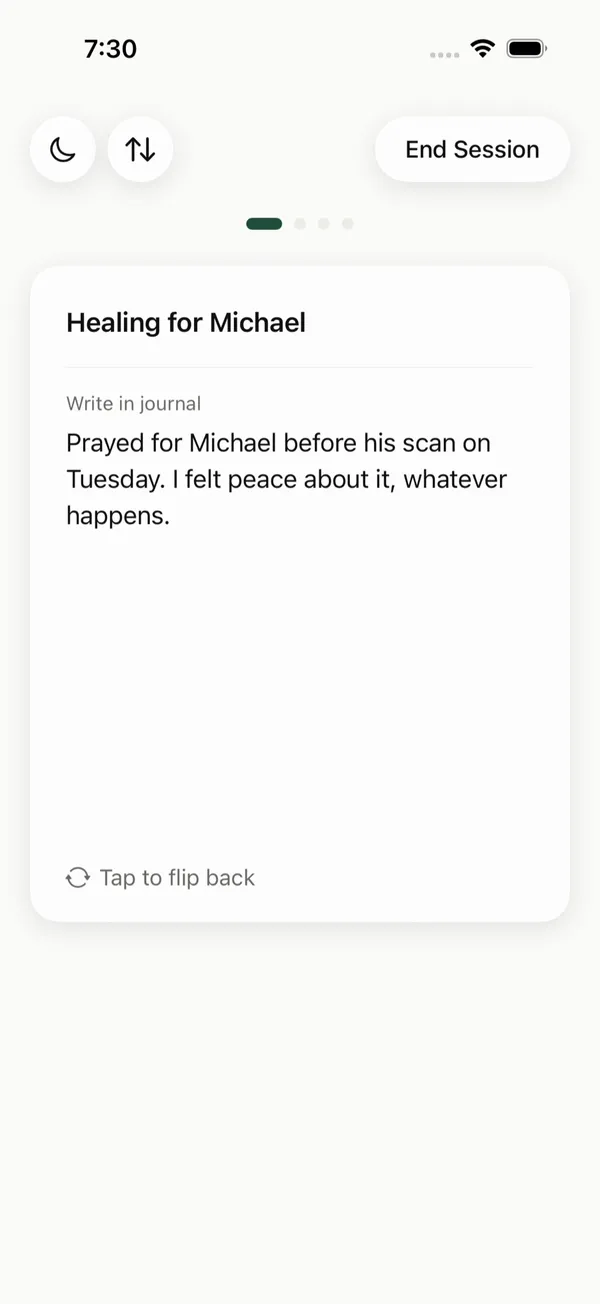
Step 6
See who you prayed for, and let them know.
When you finish, you see the people you prayed for. Tap the message button next to a name to send a text saying you prayed for them.
See how it works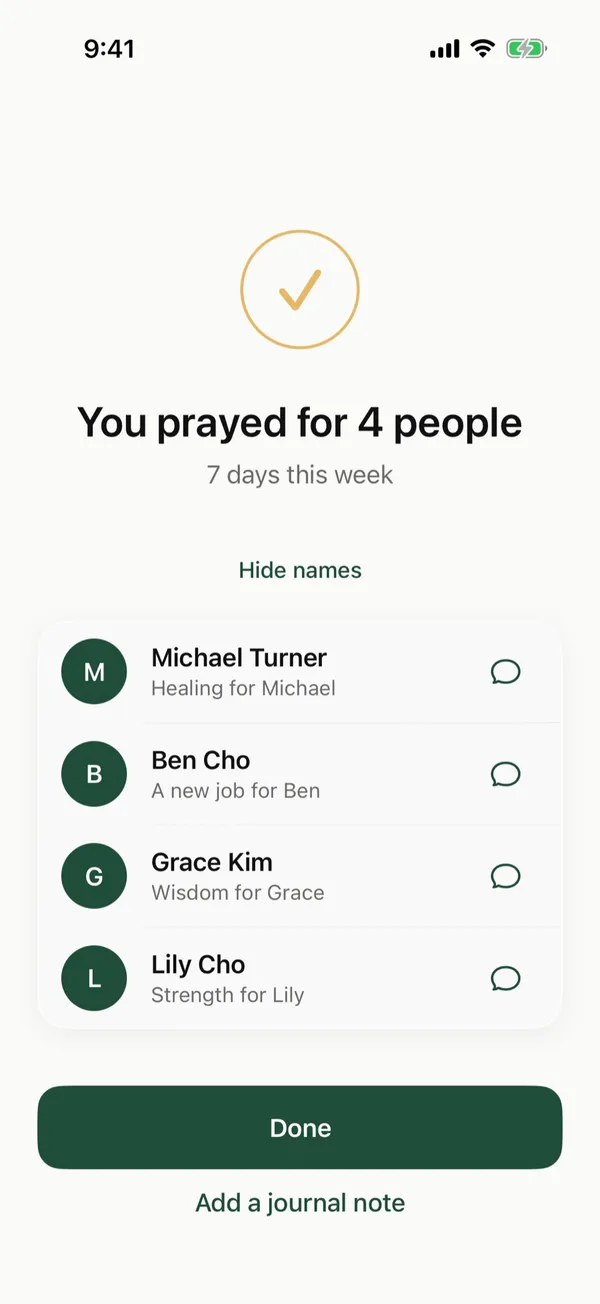
Step 7
Look back on your walk with God.
When God answers a prayer, mark it and write down how. Some prayers stay open for a long time, and that's part of it too. Your timeline shows what you've prayed for, how long you've kept bringing it to God, and how He met you along the way.
See how it works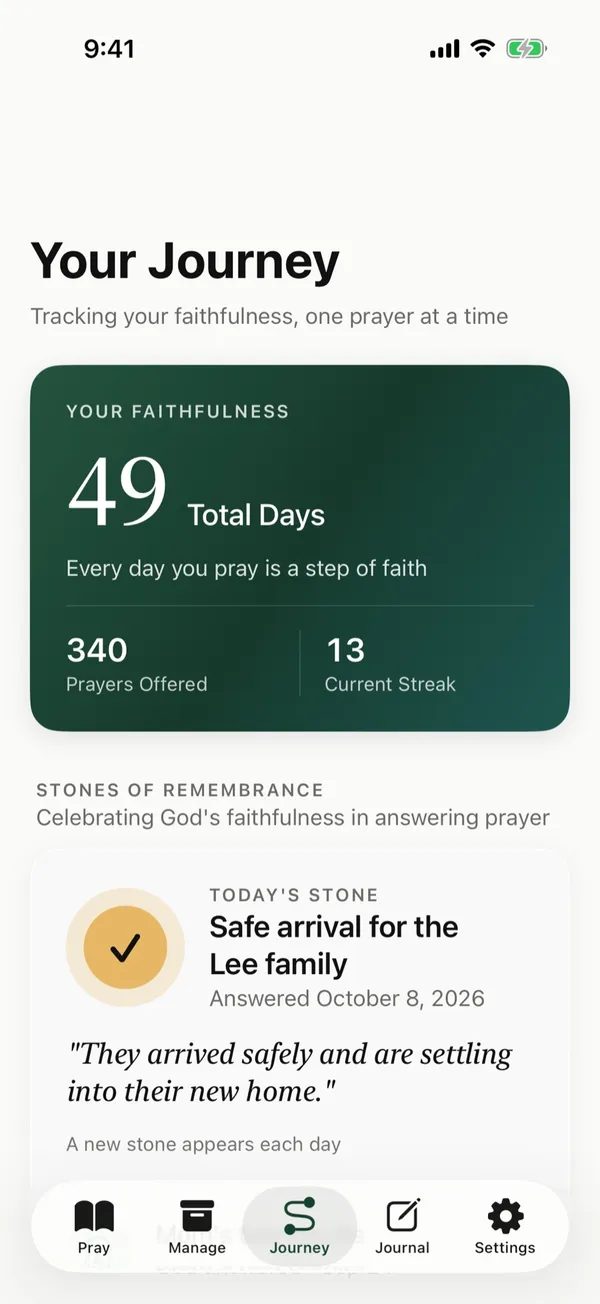
Step 8
Follow your Bible reading plan, too.
Set up your own Bible reading plan and read each day's passage in the app, alongside your prayers.
See how it works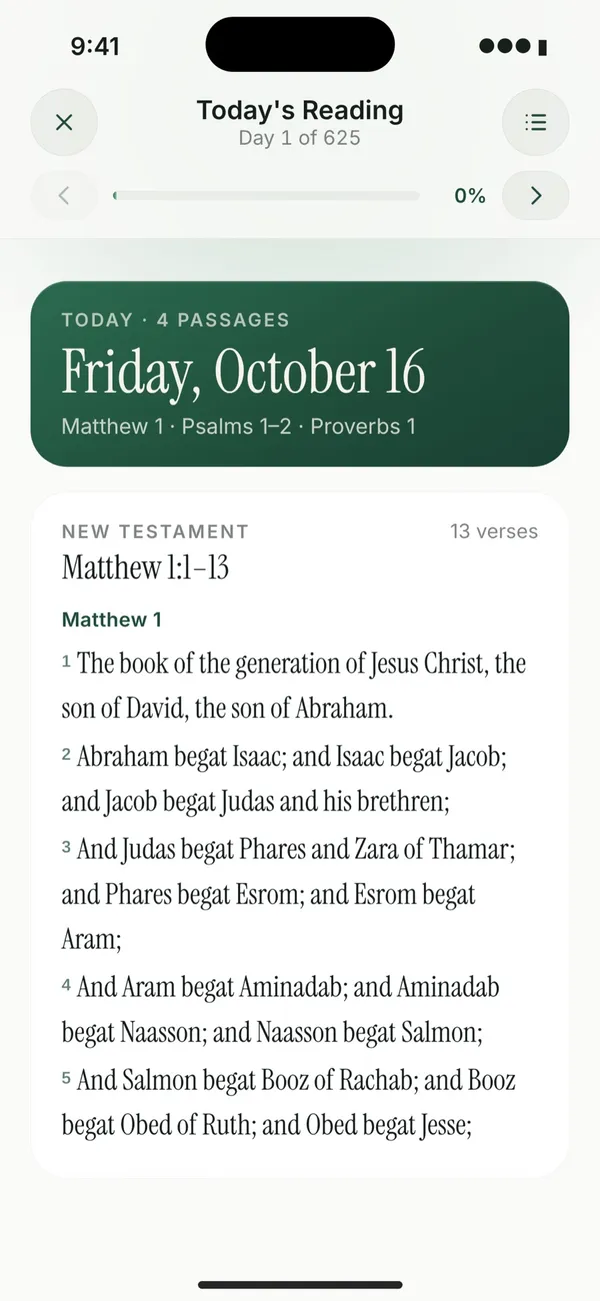
Also in the app:
- Suggested Bible verses for each prayer card
- A daily reminder at the time you choose
- A prayer streak and a history of the days you've prayed
- Export all your prayer cards and journal entries from Settings
Free to use
There are no ads, and we don't sell your data.
If you'd like to help cover servers, security, and the people who build the app, you can become a supporter for $9.99 a year.
Your prayers are private
Your prayers are yours. They're encrypted, we don't read them personally, and we never sell your data.
Questions
Is The Pray App free?
Yes. The Pray App is free to download and use, and there are no ads. If you'd like to help cover servers and the people who build the app, you can become a supporter for $9.99 a year.
Is The Pray App on Android?
No. The Pray App is for iPhone.
Can I paste a prayer list I already have?
Yes. Paste up to 20 requests at a time, and the app turns each one into its own prayer card, sorted into a category. You check them before you save.
Does it work without internet?
Yes. Your prayer cards are saved on your iPhone, so you can pray without a connection, and your changes sync when you're back online. Pasting a list and Bible commentary need a connection.
Are my prayers private?
Yes. They're encrypted, we don't read them personally, and we never sell your data.
Can I download my prayers?
Yes. In Settings, tap Download My Data to save your prayer cards and journal entries as a file.
Does it include a Bible reading plan?
Yes. Choose how many verses a day you want from the New Testament, Old Testament, Psalms, and Proverbs, and read each day's passage in the app.
Guides
- Add many prayers at oncePaste the prayer list you already keep, and The Pray App turns each request into its own prayer card, up to 20 at a time.
- Create a prayer cardWrite a prayer for one person or request, pick a category, and add a Bible verse if you want one.
- Choose how often a prayer comes upSet each prayer card to come up daily, weekly on the day you pick, or monthly on the dates you pick.
- Pray through today's cardsOpen the app, tap Start praying, and pray through the prayer cards that are due today, one at a time.
- Mark a prayer answeredWhen God answers a prayer, mark it and write down how, so you can look back on it later.
- Look back on your walk with GodJourney shows the days you've prayed, the prayers God has answered, and the people you've brought before Him.
From the blog
- How to pray for your children, with prayers and ScriptureHow to pray for your children by name, what to ask God for, prayers for your son and daughter, their salvation, and grandchildren, with Scripture to pray.
- How to pray for your husband, from head to toeHow to pray for your husband with Scripture, a head-to-toe prayer guide, prayers for when he's struggling, and prayers for your marriage.
- How to pray for your wife, in every seasonHow to pray for your wife with Scripture, what to pray for each part of her life, prayers for difficult times and her birthday, and prayers for your marriage.