
Prayer lists
How to make a prayer list you'll actually pray through
· Updated · 4 min read
How to make a prayer list in five steps. Write down names, add one need each, sort them, and spread them across the week so each day stays short.
To make a prayer list, write down the people and needs on your heart, put one request on each line, and spread them across the week so each day’s list is short enough to pray through. A written list means you don’t have to hold everyone in your head, and you’re ready when it’s time to pray.
How do you make a prayer list?
A prayer list is a written list of the people and needs you want to bring to God. To make one, write down names, add one specific need next to each, group them into a few categories like Family or Health, and decide how often each comes up, so every day’s portion stays short enough to pray through in a few minutes.
1. Start with names
A prayer list starts with the people God has put on your heart. Family, friends, people at church, coworkers, and neighbors all belong here. Put one name on each line, and don’t worry about order yet.
A long list of names is a good sign. Paul told the Thessalonians he gave thanks for them, “constantly mentioning you in our prayers” (1 Thessalonians 1:2, ESV). Your list is how you keep mentioning them.
2. Add one need to each name
Each name on a prayer list needs one specific request next to it. “Sam, new job” is enough. If you don’t know what someone needs, you can still pray for them by name. Paul prayed for the church in Colossae without ceasing, and most of them had never seen him face to face (Colossians 1:9, 2:1).
A few lines of thanks belong on the list too. Paul tells us to bring our requests to God “with thanksgiving” (Philippians 4:6, ESV).
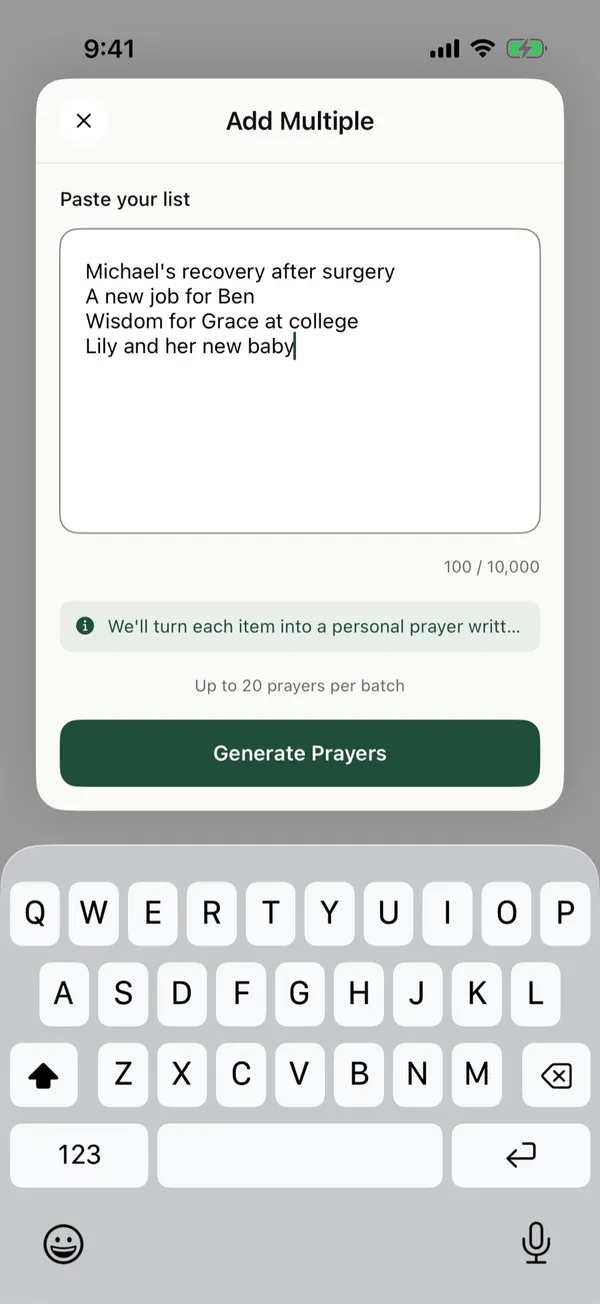
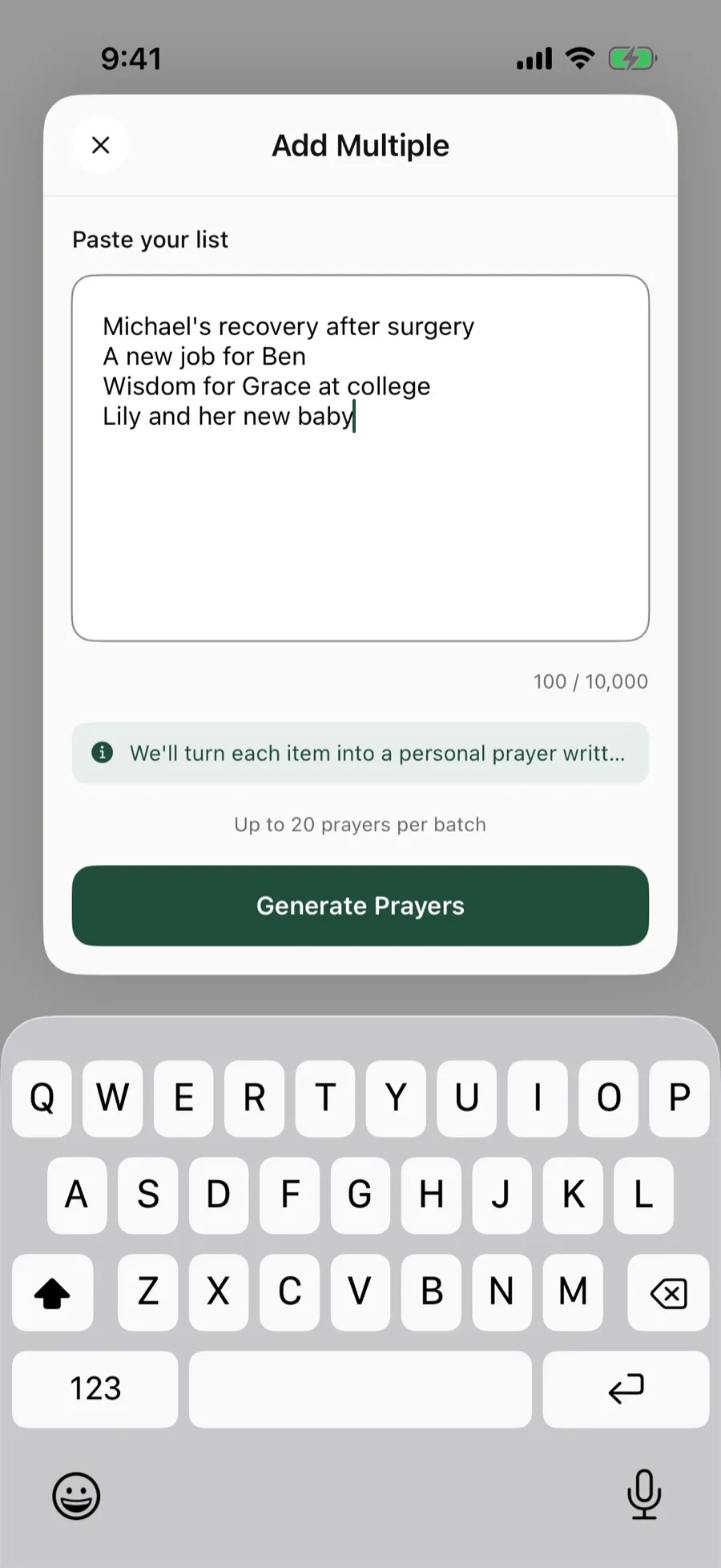 One request per line. Here, four requests are pasted into The Pray App at once.
3. Group the list into a few categories
Grouping a prayer list into categories makes a long list easy to scan, because you can pray for one area at a time. Family, Health, Work, and Church cover most lists. Add a group for the world or for missionaries if you pray for them.
4. Spread the list across the week
A prayer list doesn’t need to come up all at once. Pray for some people daily, others once a week, and some on a date that matters, like a birthday or a monthly appointment. Each day’s list stays short enough to pray through. See how to choose how often a prayer comes up.
For help deciding which names come up daily, weekly, or monthly, see how often you should pray for something.
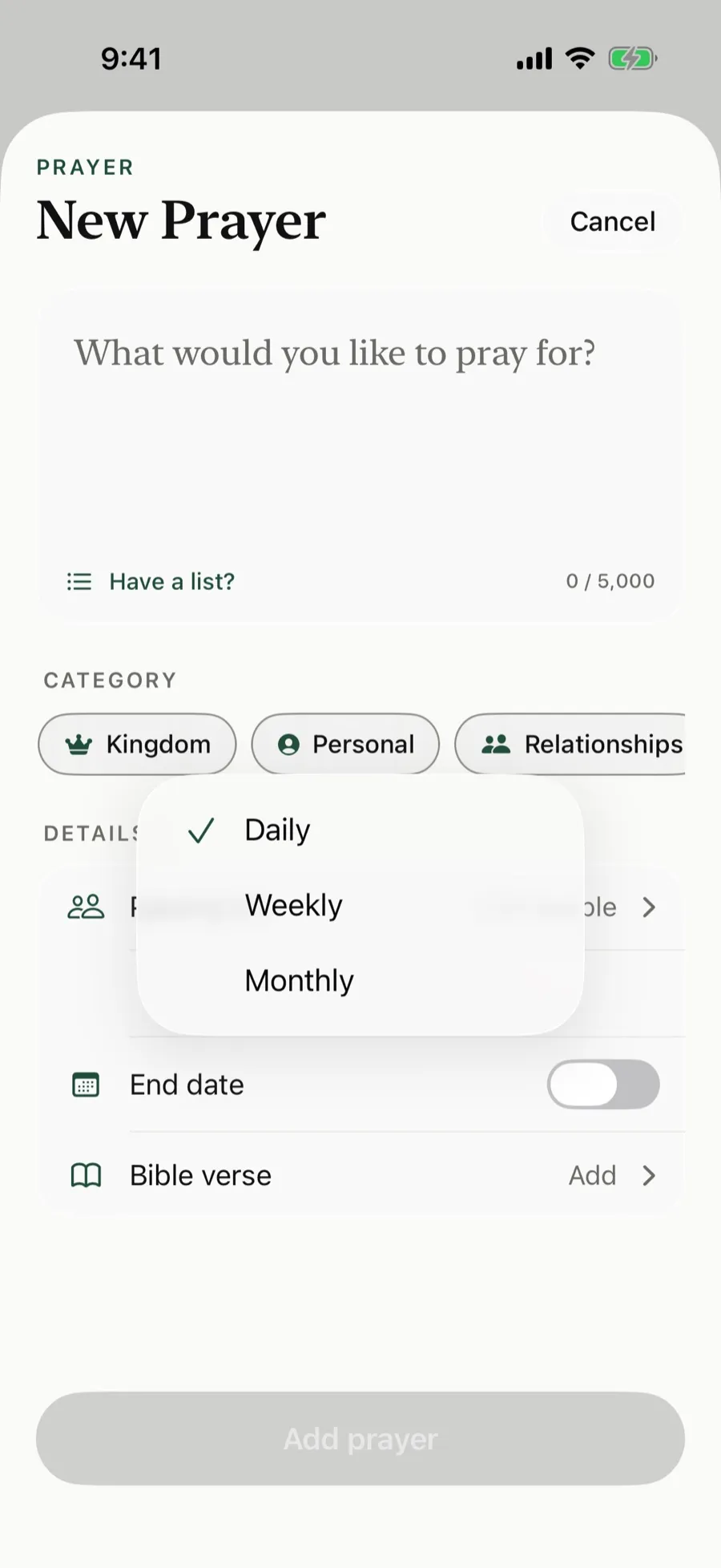 In The Pray App, Repeat sets each prayer card to Daily, Weekly, or Monthly.
5. Keep the list current
A prayer list stays useful when you update it as things change. When God answers a prayer, write down how. Some prayers stay open for a long time. Jesus told His disciples “to pray and not lose heart” (Luke 18:1, ESV), so keep those on the list.
A prayer list example
Mom, recovery after her surgery
Sam, looking for a new job
Our church, wisdom for the elders
Grandma, peace as she moves
Thanks for a safe trip home
For more, see these prayer list examples and this prayer list template.
Prefer one card per person instead of one long list? See how to use prayer cards.
How do I make a prayer list on iPhone?
You can make a prayer list on iPhone in two ways: a note in the Notes app, or prayer cards in The Pray App. A note works if you pray through the whole list each time. Put one request on each line and pin the note so it stays at the top.
The Pray App turns each line of your list into its own prayer card:
- On Home, tap New prayer card.
- Under the prayer text, tap Have a list?
- Paste your list, one request per line, up to 20 at a time.
- Tap Generate Prayers. The app writes a short prayer for each request and sorts it into a category.
- On Review Prayers, check each draft’s Category, Frequency, and who you’re Praying For, then tap Create.
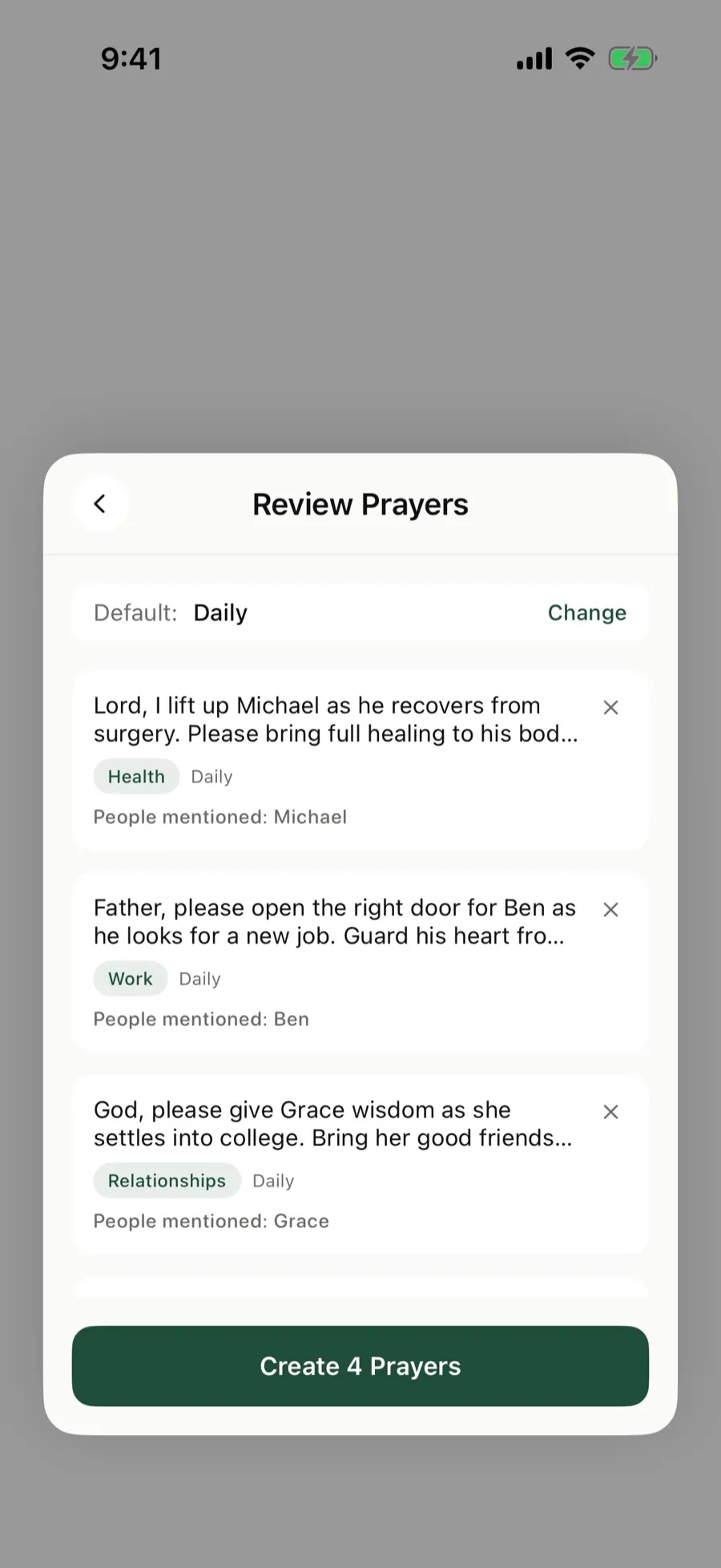 Review Prayers shows a drafted card for each line, with its category and the people it mentions.
Each day, Home shows only the prayer cards that are due, with about how long they’ll take.
For what an app adds to a paper list, see how a prayer list app helps.
The Pray App is free on the App Store. See how to add many prayers at once.
Questions people ask
What should I put on a prayer list?
Start with the people God has put on your heart, then add one specific need next to each name. Add a few lines of thanks and a few requests for your church, your city, and the world.
How long should a prayer list be?
As long as you need, but keep each day's portion short enough to pray through in a few minutes. Spread the rest across the week so some names come up daily and others weekly or monthly.
Can I make a prayer list on my iPhone?
Yes. You can keep one in the Notes app, or paste it into The Pray App, which turns each line into its own prayer card and shows you the ones that are due each day.
How often should I update my prayer list?
Update it whenever something changes. When God answers a prayer, write down how, and move it off the daily list.
Related guides
- How to keep track of prayer requests without forgettingHow to keep track of prayer requests from friends, church, and family, so you remember to pray, follow up, and see how God answers over time.
- Prayer cards, how to use them to pray for peopleHow to use prayer cards to pray for people, what to write on each card, how often to pray through them, and what to do when a prayer is answered.
- Prayer list examples for family, friends, church, and morePrayer list examples you can copy for family, friends, church, work, health, and the world, plus a weekly list and how to pray through it.
- Prayer list for church, what to pray for your congregationA prayer list for church you can use on your own or in a prayer meeting, covering pastors, members, missions, and the city, with Scripture for each.