Mark a prayer answered
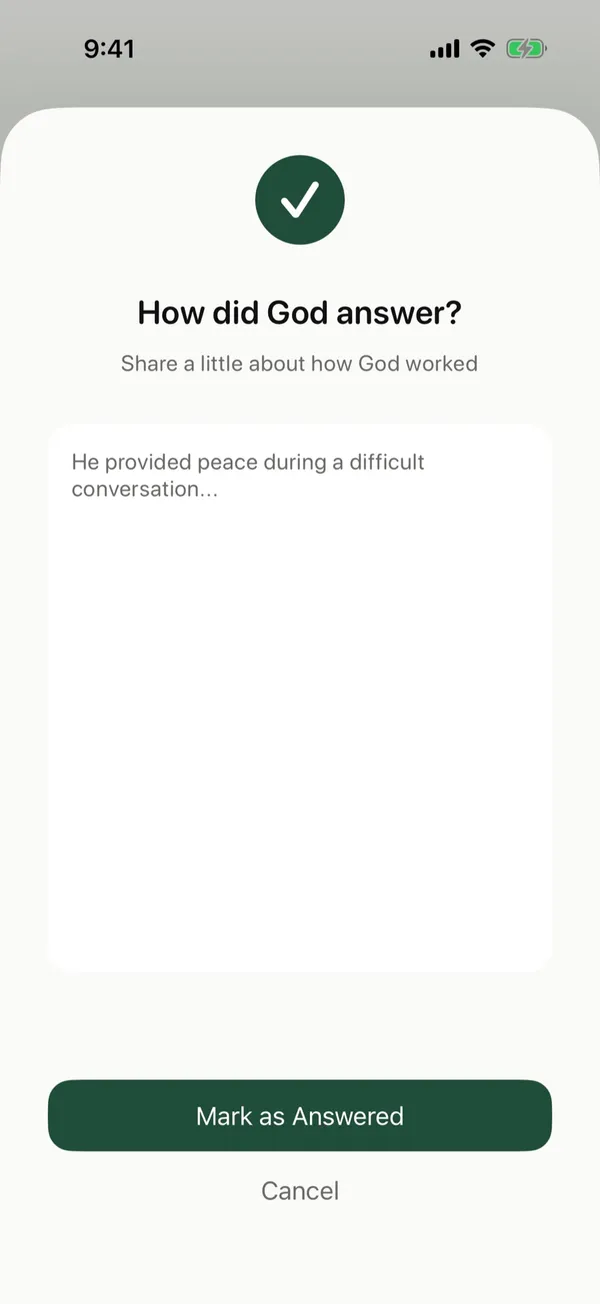
When God answers a prayer, mark it and write down how, so you can look back on it later.
Steps
- While you pray, tap Answered under the card.
- Under How did God answer?, write a few words about what happened.
- Tap Mark as Answered.
Where answered prayers go
Answered prayers show in Journey under Stones of Remembrance, with what you wrote. See Look back on your walk with God.
Some prayers stay open for a long time. They stay in your prayers until you mark them.
Posts about this
- Answered prayers, how to keep a record of what God has doneHow to keep a record of answered prayers, what to write when God answers, how to handle prayers that stay open, and why looking back strengthens faith.
- How to pray with your kids, at bedtime and every dayHow to teach your kids to pray, a simple pattern they can remember, bedtime prayers, praying a blessing over them, and ideas for every age.
- Unanswered prayer, what the Bible says about waitingUnanswered prayer and what the Bible says about it, why God may not answer the way we ask, how long to keep praying, and how to keep trusting while you wait.