
Prayer apps
Prayer request app, keep every request you promise to pray
· 3 min read
How a prayer request app helps you keep the requests people share with you, what the Bible says about carrying each other's burdens, and how The Pray App works.
A prayer request app helps you keep the promise behind “I’ll pray for you.” It holds the requests people share with you, brings them up on the days you choose, and helps you follow up. The Pray App turns each request into a prayer card, so the people who ask you to pray don’t get lost in a notes app or a group text.
What is a prayer request app?
A prayer request app is an app for keeping the prayer requests people share with you and actually praying for them. It stores each request with the person’s name and need, decides when each one comes up, reminds you to pray, and helps you tell people you prayed. Some apps are public request boards. The Pray App is a private list for the requests entrusted to you.
What does the Bible say about praying for each other’s requests?
The Bible asks believers to carry each other’s needs to God. “Bear one another’s burdens, and so fulfill the law of Christ” (Galatians 6:2, ESV). “Pray for one another, that you may be healed” (James 5:16, ESV). Paul often asked churches to pray for him: “pray also for us, that God may open to us a door for the word” (Colossians 4:3, ESV).
When someone shares a request, they are trusting you with it. Writing it down and praying for it is one way to love them well.
How should you handle prayer requests people share with you?
Prayer requests are easier to honor with a few simple habits:
- Write it down right away, with the name, the need, and the date.
- Keep it confidential. Share only what they’re comfortable sharing, and ask before passing it on.
- Decide how often to pray, daily for urgent needs, weekly for ongoing ones.
- Follow up. Tell them you prayed and ask how it’s going.
- Record the answer when God answers.
For more, see how to keep track of prayer requests and these prayer request examples.
Can a church or small group use a prayer request app?
A church or small group can use The Pray App for the requests each person carries, but not as a shared board. Each member keeps their own list. After a meeting, the leader can send the requests in a text, and each person pastes them into The Pray App, one per line. See these small group prayer request ideas.
How does The Pray App keep your prayer requests?
The Pray App turns requests into prayer cards. On Home, tap New prayer card, or tap Have a list? to paste several requests at once, one per line, up to 20 at a time, and tap Generate Prayers. Add each person under Praying for from your contacts, and set how often each comes up under Repeat.
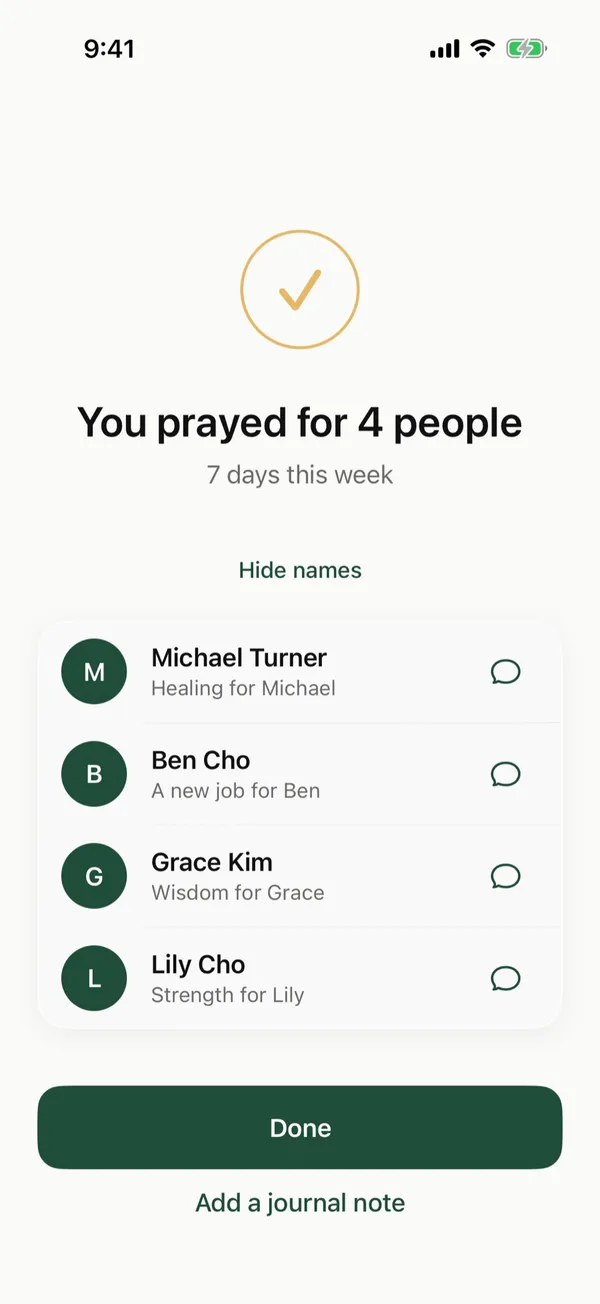
When you finish praying, the summary lists the people you prayed for. Tap the message button next to a name, and Messages opens with “Hi Sarah, I prayed for you today.” ready for you to edit or send.
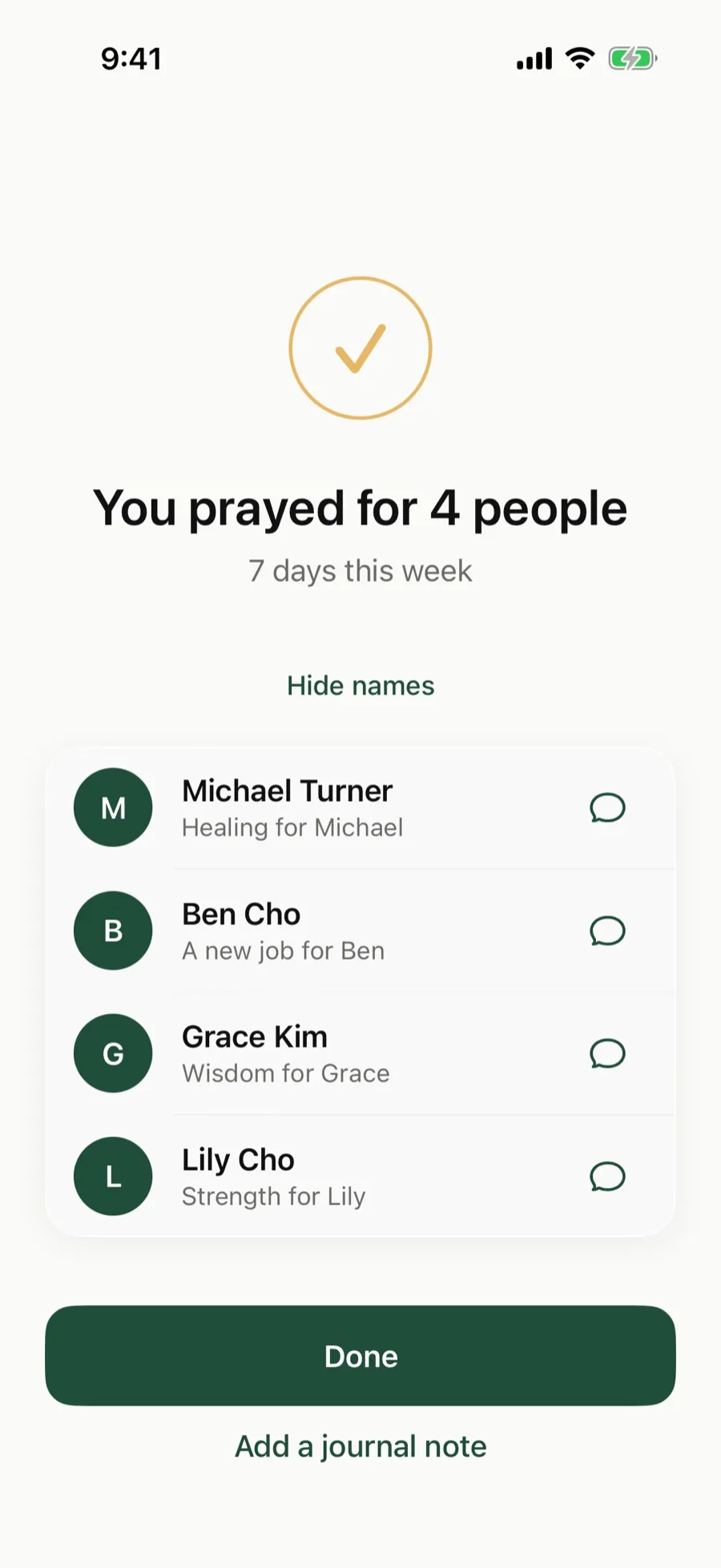 After you pray, let people know with one tap.
When God answers, tap Answered on the card and write how. It moves to Stones of Remembrance in Journey.
Is The Pray App right for you?
The Pray App fits Christians who want a private, Scripture-centered way to keep and pray for the requests people share with them, on an iPhone. It isn’t a public prayer wall, a church management tool, or a way to post requests for others to pray. If you want the requests entrusted to you to come up on the right days, it was built for that. See also prayer list app.
The Pray App is free on the App Store, with no ads. See how to tag people and text them.
Questions people ask
What is a prayer request app?
A prayer request app keeps the requests people share with you in one place, reminds you to pray for them, and helps you follow up. The Pray App turns each request into a prayer card that comes up on the days you choose.
Can I share prayer requests with my church in The Pray App?
No. The Pray App keeps your prayer list private. You can tag people from your contacts and text them after you pray, but there is no shared request board for a church or group.
How do I keep a prayer request confidential?
Keep only what the person was comfortable sharing, and don't pass it on without asking. The Pray App keeps your requests encrypted, and we don't read them personally.
Related guides
- Prayer app for kids, how families can pray togetherWhat parents can look for in a prayer app for kids, how to use The Pray App with your children at bedtime, and how answered prayers can build their faith.
- Prayer app for teens, how to pray as a teenagerHow to pray as a teenager, praying for your friends, school, the future, and anxiety, and how The Pray App helps teens keep praying without pressure.
- AI prayer app, what AI can and can't do for your prayersHow AI can help organize your prayer list, why it can't pray for you, how to test what it writes against Scripture, and how The Pray App uses it.
- Best prayer app for iPhone, what to look forWhat makes the best prayer app for iPhone, the features that help you pray each day, and how The Pray App handles lists, journaling, and privacy.