
Prayer apps
Best prayer app for iPhone, what to look for
· 3 min read
What makes the best prayer app for iPhone, the features that help you pray each day, and how The Pray App handles lists, journaling, and privacy.
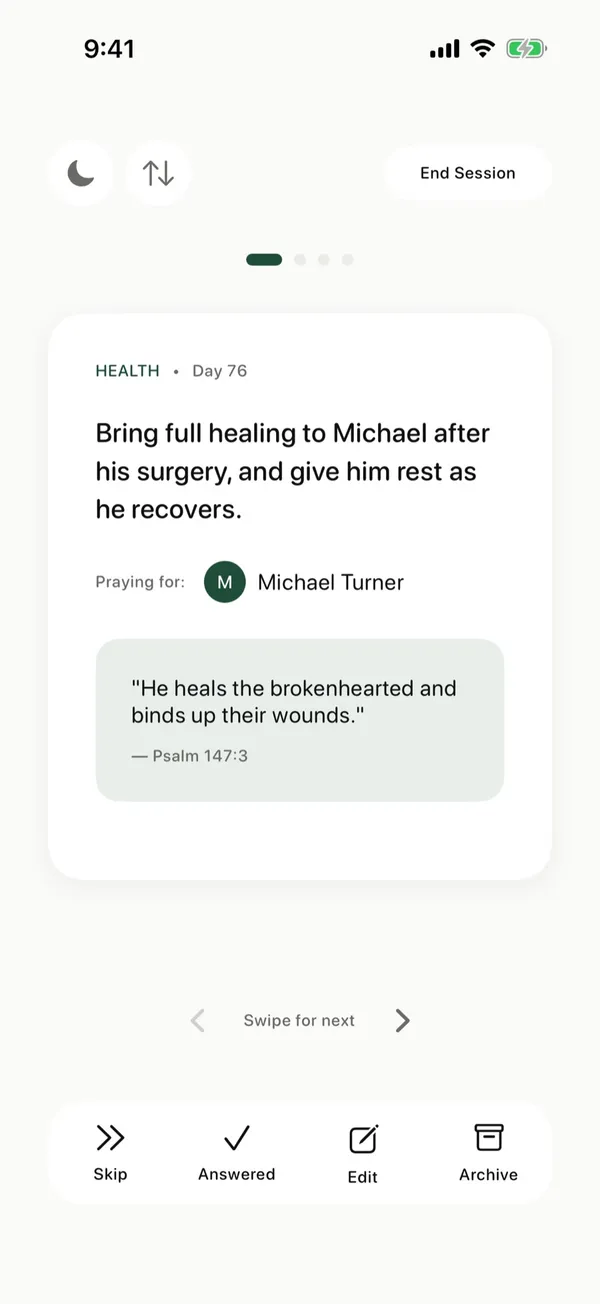
The best prayer app for iPhone is the one that helps you actually pray, every day, for the people and requests that matter to you. Here are the features worth looking for and how The Pray App handles each one.
What should you look for in a prayer app for iPhone?
A good prayer app for iPhone makes it easy to add the requests you already have, shows only the prayers due today, helps you pray one request at a time, keeps a journal next to your prayers, records how God answers, and protects your privacy. The best one is the app that helps you actually pray each day, not the one with the most features.
What to look for in a prayer app
An easy way to add requests
You probably already have requests in your notes, texts, or a church email. A good app lets you add them quickly instead of typing each one.
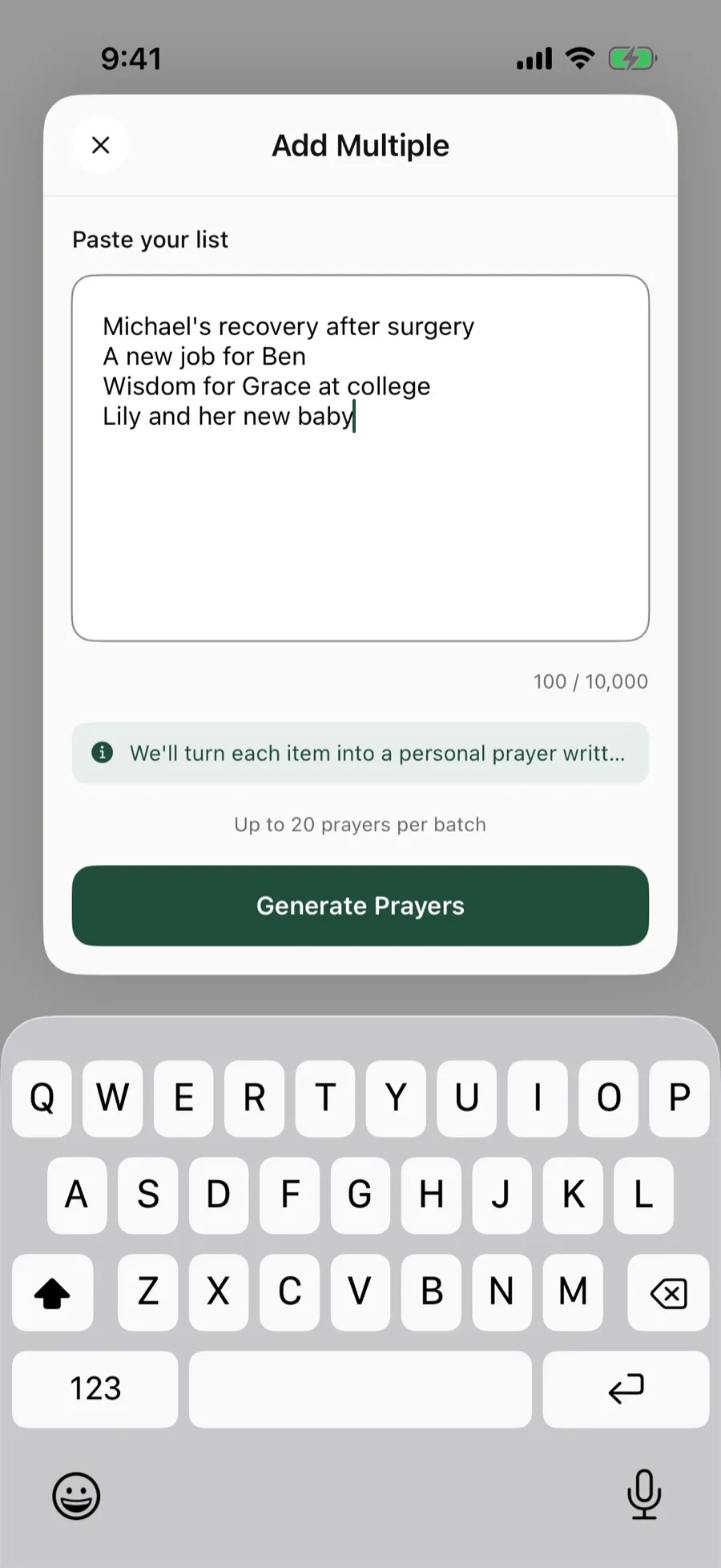 In The Pray App, paste up to 20 requests at a time.
A daily view of who to pray for
A long list can be overwhelming. Look for an app that shows you just today’s prayers, so some come up daily and others weekly or monthly.
A focused way to pray
One request at a time, with the person’s name and a Bible verse, helps you pray instead of scroll.
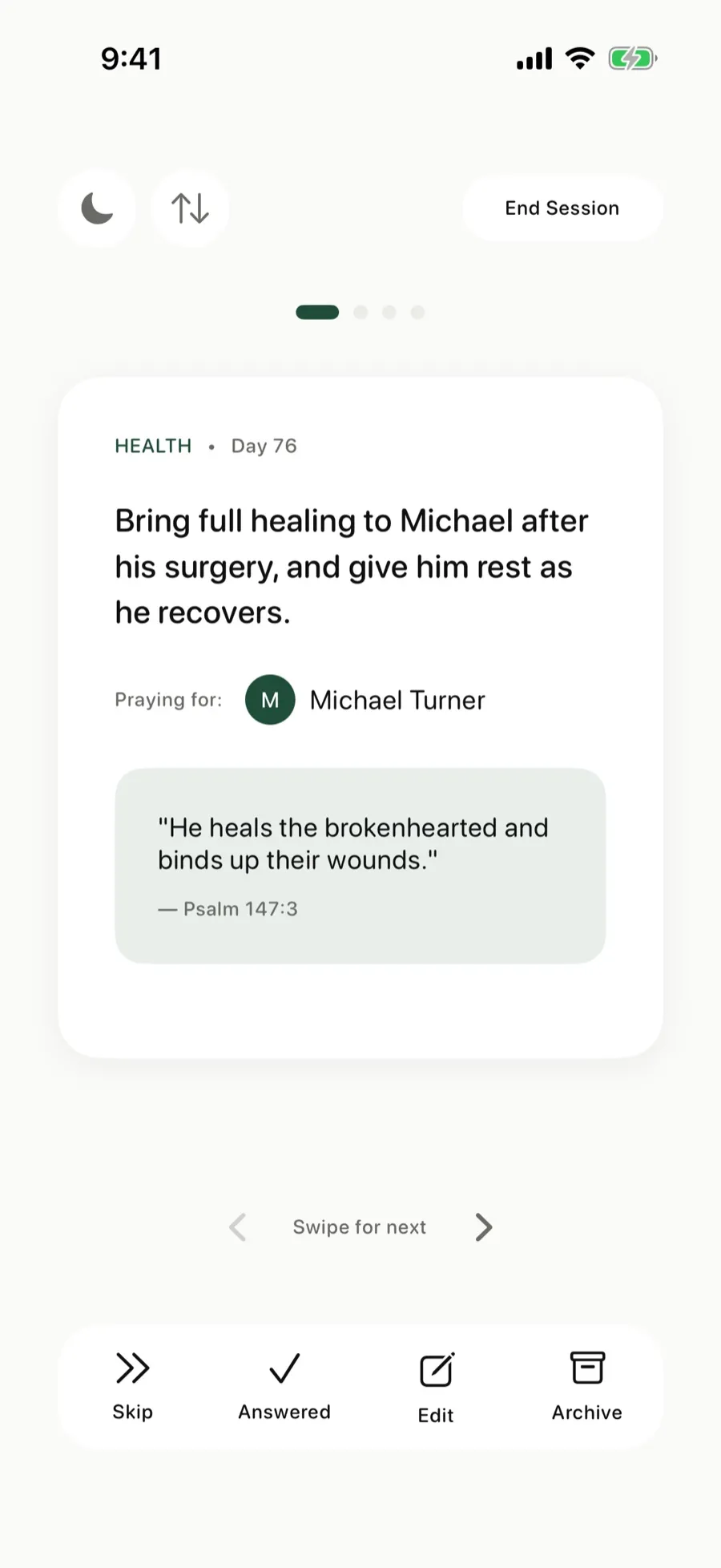 Pray through your cards one at a time, then swipe to the next.
A journal
Writing helps you remember what you prayed and how you felt. Journaling next to your prayers keeps it all in one place.
A record of answered prayers
Looking back on how God answered strengthens faith. See answered prayers.
Privacy
Your prayers are personal. Check whether the app encrypts them, shows ads, or sells data.
Which prayer app fits the way you pray?
The right prayer app depends on how you pray and what you need help with. These guides go deeper on each:
- Christian prayer app. What makes prayer Christian, and what to look for. See Christian prayer app.
- Praying with Scripture. A verse with every request. See biblical prayer app and Bible and prayer app.
- Protestant and Reformed Christians. Prayer to the Father through Christ alone, shaped by the Word. See Protestant prayer app and Reformed prayer app.
- Praying in Jesus’ name. And what the Jesus Prayer is. See Jesus prayer app.
- A daily habit. A short list each day and a reminder. See daily prayer app and prayer reminder app.
- Help getting started. Words to start from. See guided prayer app.
- Requests from others. Keeping what people ask you to pray for. See prayer request app and prayer list app.
- Journaling and looking back. See prayer journal app and prayer tracker app.
- Praying with your spouse. See prayer app for couples.
- Women and men. Prayer that fits your season and builds a steady habit. See prayer app for women and prayer app for men.
- Families and teens. Praying together with your kids, and a private prayer list for teenagers. See prayer app for kids and prayer app for teens.
- AI, offline, and privacy. See AI prayer app and offline prayer app.
How The Pray App works
- Paste your prayer list. Each request becomes its own prayer card with a short prayer, a category, and the people it mentions.
- Choose how often each card comes up: daily, weekly, or monthly.
- Open Today to see who to pray for, and tap Start praying.
- Flip a card to journal while you pray.
- Mark prayers answered and look back in Journey.
- Follow your own Bible reading plan, too.
All of it is free to use, with no ads. See what the free prayer app includes and how it is supported.
The Pray App is free, with no ads, and your prayers are encrypted. We don’t read them personally and never sell your data. It’s on the App Store. See how it works.
Questions people ask
What is the best prayer app for iPhone?
The best prayer app is the one that helps you actually pray. Look for an easy way to add requests, a daily view of who to pray for, a journal, answered prayer tracking, and strong privacy.
Is The Pray App free?
Yes. The Pray App is free to download and use, with no ads. You can become a supporter for $9.99 a year if you'd like to help cover costs.
Is The Pray App on Android?
No. The Pray App is for iPhone.
Does The Pray App work offline?
Yes. Your prayer cards are saved on your iPhone, so you can pray without a connection. Pasting a list and Bible commentary need a connection.
What is the best Christian prayer app?
The best Christian prayer app is the one that helps you pray to God through Jesus every day, with Scripture at the center. The Pray App keeps your requests as prayer cards with a Bible verse on each, free and with no ads.
What is the best prayer app without ads?
Look for an app that is free without ads and doesn't sell your data. The Pray App has no ads, and your prayers are encrypted and never sold.
Related guides
- Prayer app for kids, how families can pray togetherWhat parents can look for in a prayer app for kids, how to use The Pray App with your children at bedtime, and how answered prayers can build their faith.
- Prayer app for teens, how to pray as a teenagerHow to pray as a teenager, praying for your friends, school, the future, and anxiety, and how The Pray App helps teens keep praying without pressure.
- AI prayer app, what AI can and can't do for your prayersHow AI can help organize your prayer list, why it can't pray for you, how to test what it writes against Scripture, and how The Pray App uses it.
- Bible and prayer app, read and pray in one placeWhy reading the Bible and praying belong together, a simple way to do both each day, and how The Pray App keeps your reading plan next to your prayers.